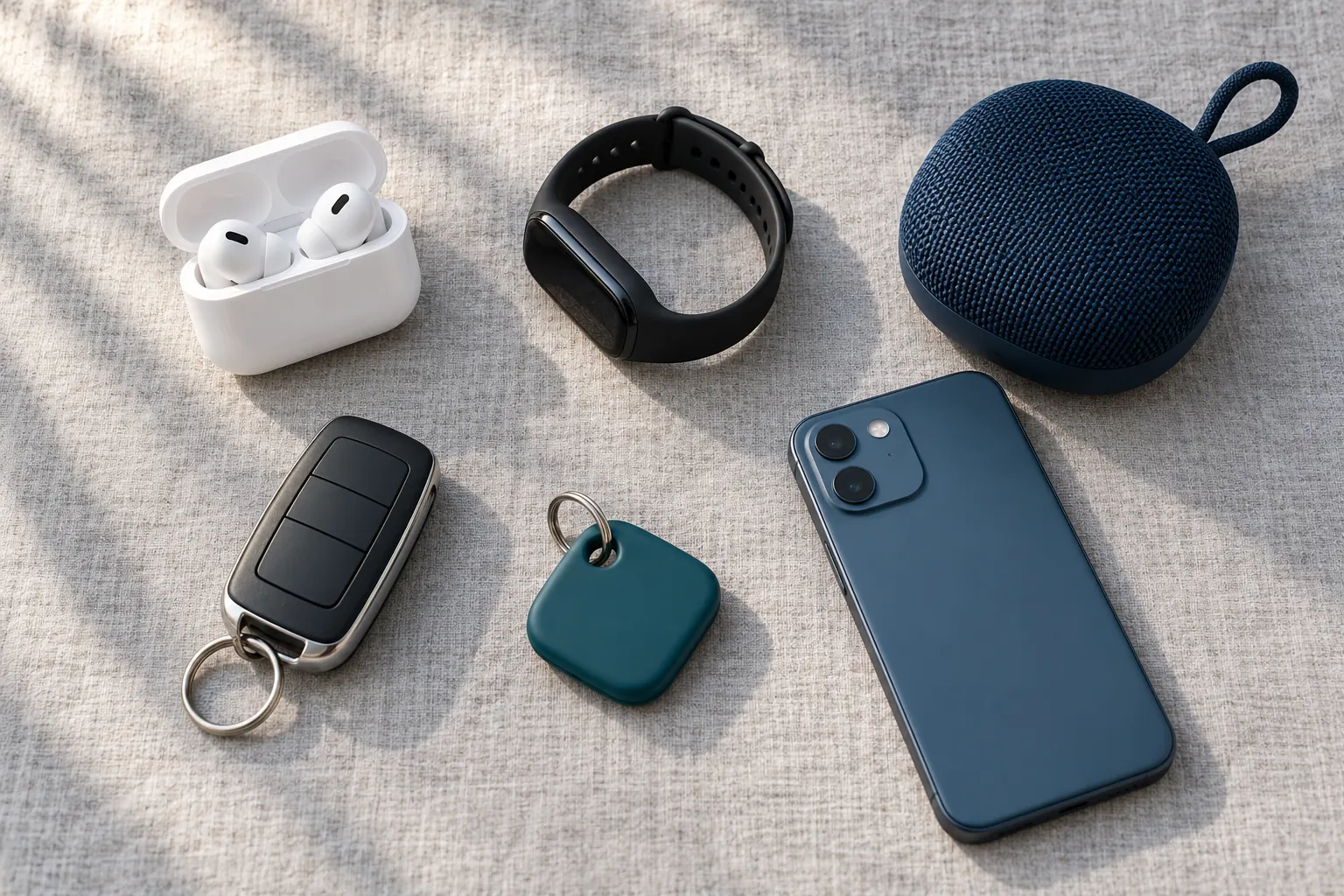
A Bluetooth scanner app lists the Bluetooth Low Energy devices your phone can hear nearby, with a name when the device shares one and a reading of its signal strength. On iPhone or Android, allow the Bluetooth permission, scan while standing still, then sort the results: mark your own accessories as known and look harder at anything unfamiliar that turns up in more than one place.
You don’t need to treat every Bluetooth signal as a threat. A useful scan helps you sort familiar devices from things worth a closer look, and it is clear about its limits.
Start with a nearby scan
Tracker Detect is a Bluetooth scanner app focused on reviewing unfamiliar devices. It scans Bluetooth Low Energy (BLE) advertisements that your phone makes available. The result is a view of detectable signals nearby, not an inventory of everything in the room.
- Turn on Bluetooth and open Tracker Detect.
- Allow the scanning permissions requested by your phone.
- Start a scan while you are stationary, then review the available device information.
- Mark accessories you recognize as known before investigating unfamiliar entries.
On Android, Bluetooth permissions vary with the operating-system version; newer versions use a Nearby devices permission. A location request on an older version can be related to Bluetooth scanning. See Android’s Bluetooth permission guidance for the distinction. A permission prompt does not, by itself, describe how an app stores or shares data.
Unknown does not mean unwanted
A device may have an unfamiliar name or no useful name at all. The app may also identify a tracker-like signal pattern. Neither a label nor a missing name identifies an owner or proves that someone is following you.
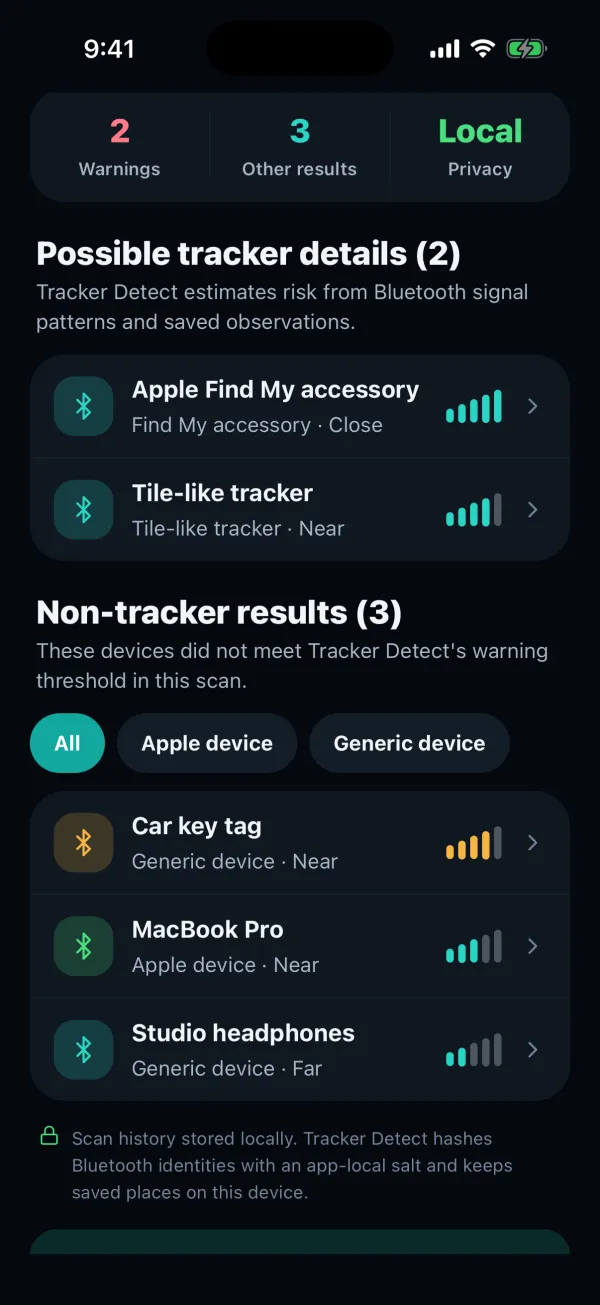
Start with what you can recognize: your own accessories, other people’s nearby devices, and the setting where you scanned. Use known-device management to keep familiar entries in context. Keep the original observation separate from your interpretation of it.
Follow the trend, not a distance claim
Premium Live Locate uses changes in a selected device’s Bluetooth signal strength as proximity guidance. Move slowly through an accessible area and compare readings. A stronger signal can help narrow the area to check, but metal, walls and other conditions can change it.
There is no universal signal reading that means “one meter away.” Treat the trend as a clue and finish by looking for the physical item. The app does not turn a Bluetooth reading into an exact direction or a confirmed location.
| What you see | What it tells you |
|---|---|
| Unfamiliar device | A signal needs context; it is not an owner identification. |
| Stronger signal | Conditions or proximity may have changed; distance is not confirmed. |
| Repeat observation | There is more history to review; intent and route are not proven. |
| No result | No qualifying signal appeared in that scan; absence is not guaranteed. |
Use history to add context
Tracker Detect stores scan history on your phone and can show repeated observations in saved places. Compare the time, place and available device evidence instead of relying on one alarming-looking entry.
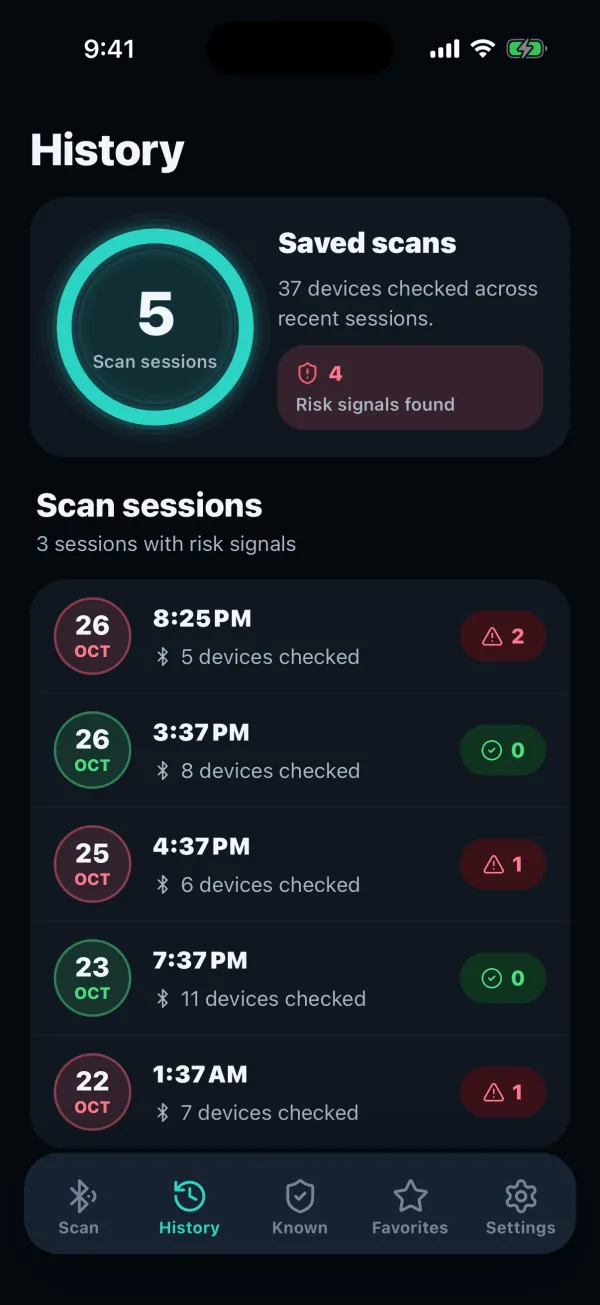
A useful review asks: do I recognize this accessory, did I bring it with me, and what did the phone actually observe? If the evidence is incomplete, leave that uncertainty visible. Do not label a device as harmless or malicious just to make the list look resolved.
What a Bluetooth scanner cannot find
A device that is silent, out of range or not advertising a signal the phone exposes may not appear. A Bluetooth-only scan cannot detect a GPS tracker solely through its GPS or cellular functions. It does not scan your phone for spyware.
If you are checking a vehicle, follow the car-tracker guide as well. If your phone has already shown a system notification, start with the unknown tracker alert and its instructions. A manual app scan is additional context, not a replacement for the phone’s built-in safety tools. Looking for your own earbuds instead? The lost earbuds guide uses the same scan to find them.
Bluetooth scanner questions
How far can a Bluetooth scanner see?
It depends on the device and its surroundings. Small trackers and earbuds are usually picked up within a room or two indoors, and further away in open space. Walls, metal, people and other radio traffic all shorten the range, so scan close to the area you want to check.
Why does my scan show devices I don’t own?
Bluetooth signals pass through walls, so a scan picks up a neighbor’s speaker, other people’s phones and watches, and cars parked nearby. That is normal. Mark the devices you recognize as known and focus on unfamiliar ones that appear in more than one place.
Check nearby signals with Tracker Detect
Scan nearby Bluetooth devices, review saved observations and mark the accessories you recognize. Premium Live Locate adds signal-strength guidance for a detectable device. Available for iPhone and Android.

An independent app by FTW-Labs. Listed as Tracker Detect: Device Finder on the App Store and Nearby Scan: Tracker Detector on Google Play. Separate from Apple’s Tracker Detect.