
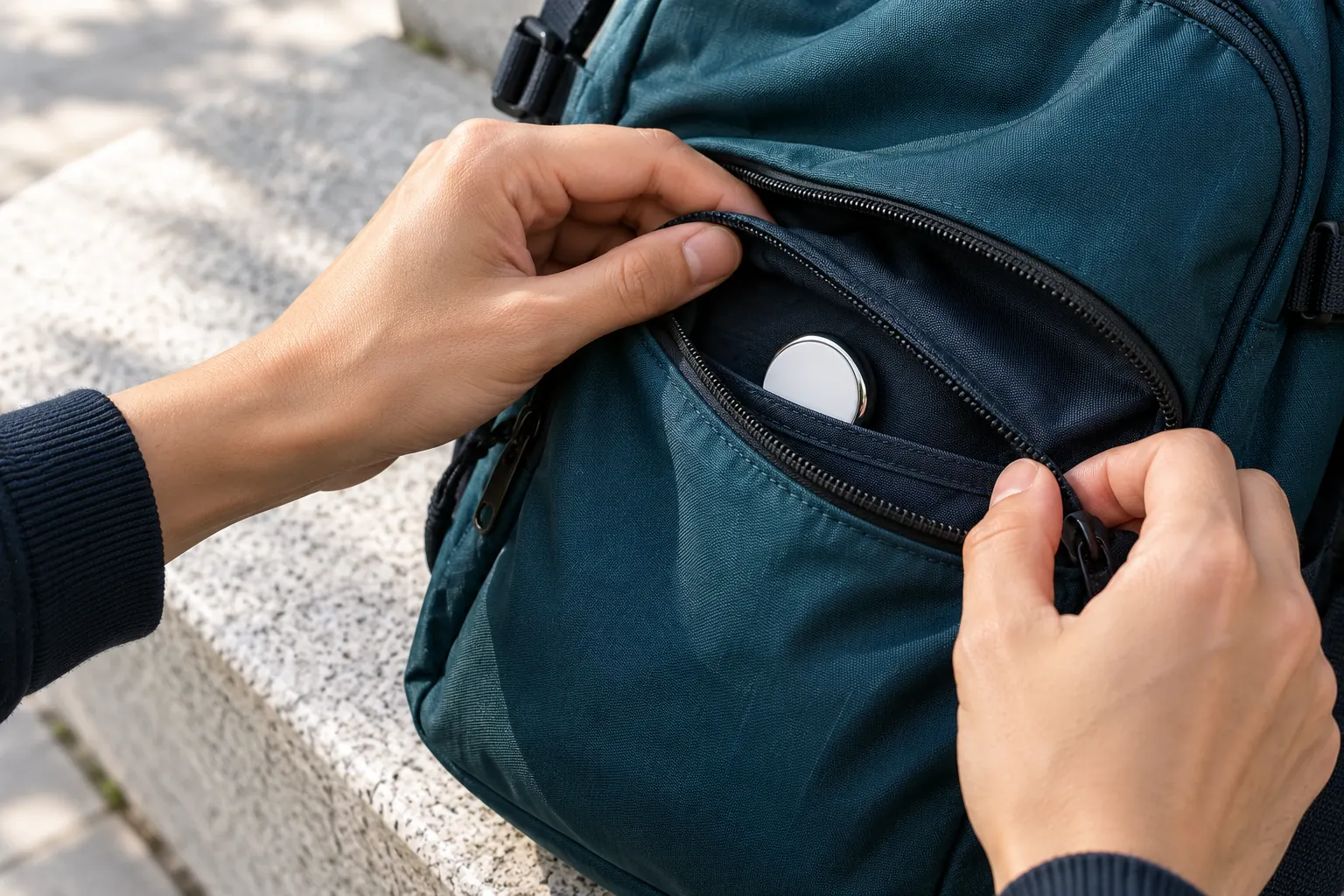
To find a hidden AirTag, start with the tools already on your phone. An iPhone shows an “AirTag Found Moving With You” alert, and Android phones have Unknown tracker alerts with a manual Scan now button. Then run a Bluetooth scan with a tracker detector app and search the places a coin-sized disc fits: seat gaps, bag linings, coat pockets and the trunk.
How to detect an AirTag on iPhone
iPhones running iOS 14.5 or later check for unknown AirTags automatically. If one has been traveling with you, a notification appears. Tap it to see a map of where it was detected and, when the option is offered, play a sound on the AirTag. Find Nearby can guide you to it on supported iPhone models.
To review earlier alerts, Apple points you to Find My, then Items, then Unknown Items Detected with You. Keep Bluetooth, Location Services and Tracking Notifications switched on, as Apple’s unwanted-tracking guide describes.
How to detect an AirTag on Android
Android 6.0 and later can warn you about an unknown AirTag that is moving with you through Google’s Unknown tracker alerts. To check on demand, open Settings, then Safety & emergency, then Unknown tracker alerts, and tap Scan now. The manual scan lists supported trackers nearby that are away from their owner.
Menu names vary between manufacturers, and on some phones the option sits under Google, then Personal & device safety. Google’s unknown tracker guide has the current steps for your device.
How to scan for AirTags with a tracker detector app
Built-in alerts wait until a tracker has moved with you for a while. When you want to check a space right now, a tracker detector app shows what is broadcasting nearby at that moment. In Tracker Detect:
- Choose Trackers and tap Start scan. A scan takes about 20 seconds.
- Look under Possible tracker details. A signal that matches Apple’s Find My network is labeled Apple Find My accessory. A free scan tells you a tracker-like signal was found, and Premium shows the label and evidence.
- Scan again in a second spot, for example beside the car and then inside it. A device found in more than one saved place is marked as seen again.
- With Premium, open Live Locate and walk slowly. The reading rises as you get closer, which narrows down where to search by hand.
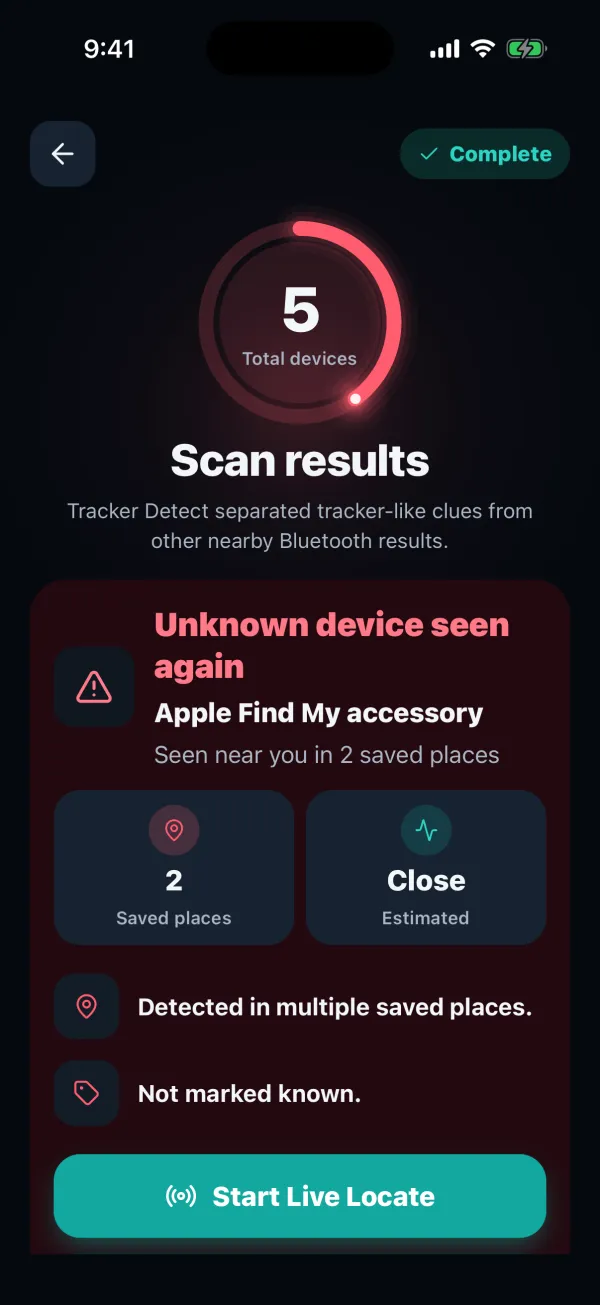
AirTags change their Bluetooth address regularly, and one that sits close to its owner’s iPhone behaves differently from one that has been separated. A clean scan is a good sign, but it can’t promise there’s nothing there.
How to find an AirTag in your car
A car has dozens of gaps an AirTag fits into, so work from the inside out while parked somewhere safe. Check under and between the seats, the seat-back pockets, door bins, the glove box and center console, under the floor mats, and the trunk, including the spare-wheel well.
Run one scan inside the car with the doors closed, then walk around the outside and scan near each wheel. If Live Locate shows a clearly stronger signal at one corner, start your hands-on search there. Our car tracker guide also covers GPS trackers, which a Bluetooth scan can’t see.
Where AirTags hide in bags and coats
In bags, check zipped inner pockets, the seam where the lining meets the base, and under any removable base board. In coats, feel along the hem and inside the lining as well as the pockets. Give gym bags, luggage and a child’s school bag the same check if they go everywhere with you.
An AirTag that has been away from its owner for a while plays a sound when it is moved, so a chirp from a bag you just picked up is a strong clue.
Finding a hidden Tile, SmartTag or other tracker
Other trackers can be hidden in the same places. Android’s Unknown tracker alerts cover AirTags and tags built for Google’s Find Hub network. Tile’s own app has a Scan and Secure feature, and Samsung’s SmartThings app has Unknown Tag Search for Galaxy SmartTags.
Tracker Detect checks for all of these in one scan. Matches are labeled as Tile-like, Samsung SmartTag-like, Chipolo-like or Pebblebee-like trackers, or as a Google Bluetooth tag, so you don’t need a separate app for each brand.
What to do if you find an AirTag
Hold the top of an iPhone, or an Android phone with NFC, near the white side of the AirTag. A webpage opens with its serial number and, if the owner marked it as lost, their contact details. To stop it reporting its location, press down on the steel back, turn it counterclockwise and remove the battery.
If you think someone is using it to follow you, take screenshots of the alert and the serial number before you remove the battery, and contact local police. Apple works with law enforcement on requests about an AirTag’s owner.
AirTag questions
Can Android phones detect AirTags without an app?
Yes. Android 6.0 and later includes Unknown tracker alerts, which can warn you about an AirTag moving with you and run a manual scan from Settings. A tracker detector app adds an on-the-spot scan of everything nearby, which helps when you want to check a car or room right away.
Does a hidden AirTag always make a sound?
No. An AirTag plays a sound when it has been separated from its owner for a while and is then moved, and the owner can also play one remotely. An AirTag that stays near its owner’s iPhone, or has had its speaker tampered with, may stay silent, which is why a scan and a hands-on search still matter.
Check nearby signals with Tracker Detect
Scan for AirTag, Tile and SmartTag-like signals, review saved observations and mark the accessories you recognize. Premium Live Locate adds signal-strength guidance for a detectable device. Available for iPhone and Android.


An independent app by FTW-Labs. Listed as Tracker Detect: Device Finder on the App Store and Nearby Scan: Tracker Detector on Google Play. Separate from Apple’s Tracker Detect.